
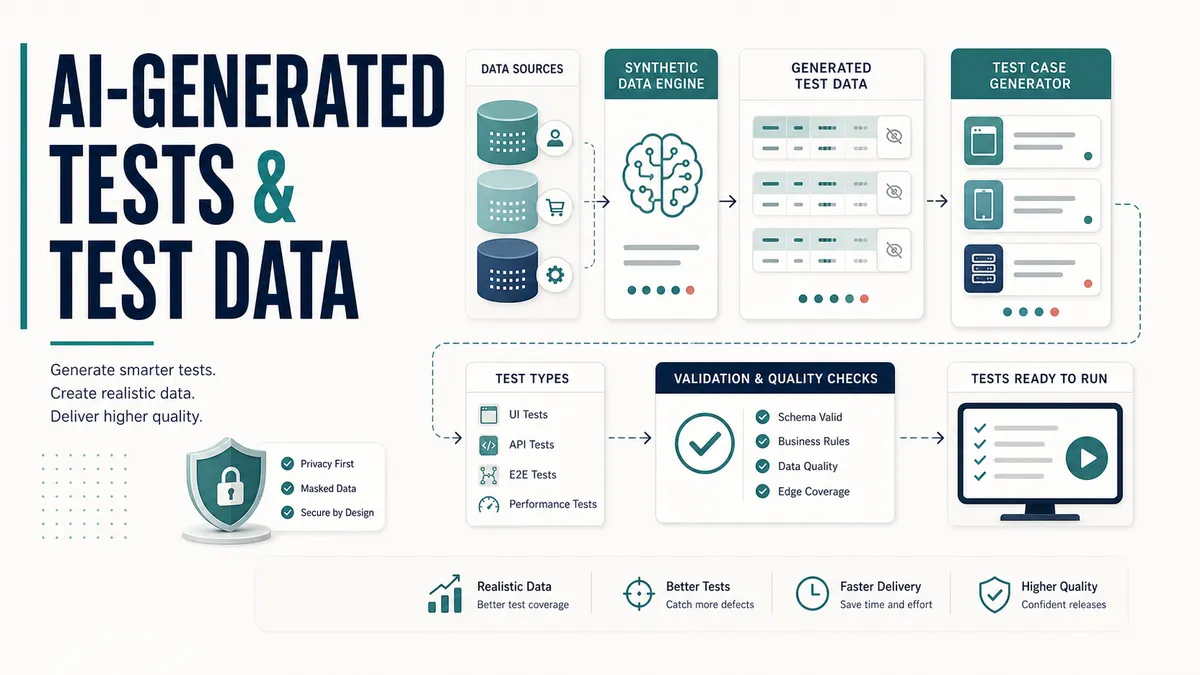
I use Claude Code, Cursor, and Codex almost every day to help me write tests and generate test data. The first time I pointed one of them at a real product, though, it went badly. I handed the agent a codebase with authentication, dynamic content, and an interface generated on the fly rather than hand-written, and I asked it to “write the tests”. What came back looked reasonable and fit nothing.
The tests missed the conventions the project already used, the locators were guesses, and the setup ignored how the application actually gets into the state you want to test. It was code that would compile, run, and tell me almost nothing.
What I got wrong was treating the agent like a vending machine: drop in a request, collect finished tests. The output was not weak, it was working blind. It had none of the things a new hire picks up in a first week, and the moment I started handing it those things, the tests changed completely.
So here is the boundary I have settled on. AI is genuinely good at the slow, tedious half of testing: shaping a first test plan from a requirements doc, drafting the first version of a test, generating realistic data, fixing a broken selector, surfacing an edge case I would not have thought of at 4pm on a Friday. What it does not do is decide what is worth testing or whether a result is correct. That judgement stays with the tester.
The way I think about it now is a very fast junior pair: tireless, quick, occasionally overconfident, and in need of review on everything it hands you. Treat it that way and it gives you back hours every week.
AI gives you breadth fast, and you bring the granularity and the judgement.
The lessons below are the ones I wish I had on day one.
Why “write my tests” fails, and what to do instead
Let me go back to that first failed run, because getting past it is most of the work. Here is what was actually wrong with the tests the agent handed me:
- Conventions. They did not match the ones already in the project.
- Locators. They were guesses.
- Structure. It ignored the patterns the existing suite used.
- Setup. It did not account for how the application actually gets into the state you want to test.
On a to-do app there are no conventions to violate and no patterns to match, so whatever the tool produces happens to fit. On a real codebase, “technically valid but wrong for this project” is the default, and getting past it is the whole job.
The shift came when I stopped treating the agent like a vending machine and started onboarding it like a person. A new engineer does not write good tests on day one either. They write good tests once they understand the codebase, the conventions, and how the product is built. So I gave the agent the same things I would give a new hire.
The most important was a serious CLAUDE.md (the equivalent of an AGENTS.md). That is the file an agent reads before it writes, and it should carry the testing conventions the code alone cannot explain: naming, locator strategy, setup, teardown, and patterns to avoid.
My first version was too thin and the output stayed generic. The more specific the guidance got, the more the generated tests read like tests a teammate would have written. For a starting point, I keep the full AI test automation standards template ready to adapt.
The second thing that moved the results, and the step I push testers toward hardest, was giving the agent access to both the frontend and the backend source. A test touches the user interface, but how its elements are produced lives in the frontend code, and the data and state behind it live in the backend. Each repository unlocks a different part of a good test.
| Repository in view | What the agent could finally do |
|---|---|
| Frontend | See how a component was generated and find a stable way to locate it, instead of inventing a brittle selector |
| Backend | See how to set up the data a scenario needed, instead of clicking through the whole app to reach a starting state |
Pointing it at the actual source moved its locators and setup from plausible to correct. And when the first attempts were still wrong, the productive move was to let the agent learn from those mistakes in writing rather than quietly fixing everything myself. When a test located the wrong element, I worked through why it chose that locator, showed it the better approach, and where the lesson was general I added it to the CLAUDE.md so it would not repeat the mistake. Over several iterations the quality climbed, because the context was accumulating what I knew. Here is the shape of that loop.
That loop is the spine of everything that follows. The rest of this article is what I feed into it, starting with the plan.
My actual first move: hand the requirements to AI and get a test plan back
Before I write a single test, I want a plan. Not a vague “let’s test login” plan, a structured one I can edit. The fastest way I have found is to hand the requirements doc to an AI with a tight contract and let it produce the breadth while I shape the risk.
The mistake I see most is asking for the plan before giving the AI anything to plan against, which gets you generic cases that could apply to any app. So I gather context first and refuse to guess. I read the requirements doc in full before I prompt, then pin down the things that change the whole shape of the plan:
- Frontend, backend, or both. A UI test plan and an API test plan are different documents. Decide which you are asking for, or ask for both, clearly separated.
- Which roles are involved. Admin, standard user, read-only, unauthenticated. Permissions are where a surprising number of real bugs live.
- Any feature flag. If the feature is behind a flag, the “off” state is part of the plan, not an afterthought.
- How big the plan should be. I tell the AI up front: small (around 10 to 15, the P0 critical path), medium (40 to 60), or full (80+). Left to its own devices it either gives you a thin list or an unreadable wall.
Here is the kind of contract I hand it, adapted to whatever I am testing, and the shape of what comes back when it is tight:
You are helping me write a test plan for the feature described in the requirements below. Read all of it before you start. This is a [frontend / backend / both] feature. The roles involved are [admin, standard user]. It is behind the [feature_flag] flag.
Give me a medium plan, around 40 to 60 cases. Organise it into numbered functional areas covering the whole lifecycle, not just the happy path.
Write every case in this exact format: ID | Verify that... | Priority | Status. The ID is a short section prefix plus a zero-padded number. Every case starts with "Verify that" and states the expected result in the same sentence. Priority is P0 (blocking), P1 (high value), or P2 (nice to have). Leave Status blank for me to fill in.
Anything ambiguous in the spec goes in an "Open Questions" section instead of being guessed at.
ID | Verify that... | Priority | Status format with Status left blank. Three things in the spec were ambiguous, so I put them in Open Questions rather than guessing the behaviour.That fixed format matters more than it looks. A case that reads “Verify that submitting the form with a blank email shows the inline error ‘Email is required’” tells you what to do and what proves it passed, in one line. “Test email validation” tells you nothing.
The format below is the one I keep:
| ID | Verify that… | Priority | Status |
|---|---|---|---|
| AUTH-01 | Verify that a standard user can sign in with valid credentials and lands on /dashboard | P0 | |
| AUTH-02 | Verify that signing in with a wrong password shows the inline error “Incorrect email or password” | P1 | |
| FLAG-01 | Verify that with the flag off, the new panel is not rendered and the old view loads | P0 | |
| PERM-03 | Verify that a read-only user does not see the “Delete” control on any row | P1 |
Priorities are how the plan earns its keep when time is tight. P0 blocks the release. P1 is high value but survivable. P2 is the nice-to-have you cut first. When someone asks “are we ready to ship?”, a plan with honest priorities answers it. A flat list of equal cases does not.
Here is the kind of test data I have AI generate, the edge cases that have actually caught bugs rather than a list of happy-path names:
const edgeCaseUsers = [
  { name: "Mary-Jane O'Brien",      email: "mary.jane+test@example.com" }, // apostrophe, dot, plus
  { name: "José Núñez",             email: "jose_nunez@example.com" },      // accents, underscore
  { name: "Tester  Double  Space",  email: "double..dot@example.com" },     // whitespace, double dot
  { name: "Ng",                     email: "x@e.co" },                      // minimum lengths
  { name: "Robert'); DROP TABLE--", email: "inject@example.com" },          // injection-style payload
  { name: "A".repeat(256),          email: "very.long.local.part@example.com" } // boundary length
];
Those categories are not random. A real search bug once traced straight back to an email with special characters in it, so now that case rides along in the set every single time.
For rule-heavy data, I ask for cases straight from the math. Here is the shape of test data I actually generate for this kind of work, genericized to Vendly. When I was building boundary cases for a “spend more, save more” offer with tiers at $100, $200, and $300, I did not hand-pick a few baskets and hope. I had the tool generate one row per boundary, just below, exactly at, and just above each threshold, so every edge had a case:
[
  { "case": "below rung 1",  "countedSubtotal": 99.99,  "expectRungReached": 0, "expectToNextRung": 0.01 },
  { "case": "at rung 1",     "countedSubtotal": 100.00, "expectRungReached": 1, "expectToNextRung": 100.00 },
  { "case": "above rung 1",  "countedSubtotal": 100.01, "expectRungReached": 1, "expectToNextRung": 99.99 },
  { "case": "below rung 2",  "countedSubtotal": 199.99, "expectRungReached": 1, "expectToNextRung": 0.01 },
  { "case": "at rung 2",     "countedSubtotal": 200.00, "expectRungReached": 2, "expectToNextRung": 100.00 }
]
The volume is not the point. The data is built straight from the rule, with the expected answer computed for each row rather than eyeballed, so a failing case names the exact boundary it broke on instead of leaving you to guess which basket was wrong. That is how you get data that pins the math down rather than just looking thorough.
There is one more step the format sets up, and it is the one people skip. A plan is only useful when the team can see it, so I do not let it sit as a wall of markdown in a chat window or an .md file on my laptop. I publish it where the team works: a Confluence page for a medium or full plan, or straight into the Jira ticket’s description for a small one.
Lead the page with the product requirements document (PRD) link, the flag, and the ticket, title it plainly, and the plan becomes a shared artifact a product manager, a developer, and another tester can open, read, and test against. A plan that only lives in my chat history may as well not exist.
Make the AI list its questions instead of inventing answers
The most valuable habit in this whole workflow costs nothing: tell the AI to surface what it does not know rather than guess. Vague field labels, an undefined error message, a “TBD” flow in the spec, these are not the AI’s job to invent. They are signals that the requirements have a gap, and that gap is exactly what QA should raise before the work is built, not after.
So I ask for an “Open Questions” section, with each question tied to the cases it affects:
Open Questions
- The spec says the form shows “an error” for a duplicate email but does not give the exact copy. What is the exact string? (affects DUP-01, DUP-02)
- When the feature flag is off mid-session, does the user keep the new view until refresh, or switch immediately? (affects FLAG-02)
- Can an admin delete their own account, or is that blocked? (affects PERM-05)
Every one of those is a real conversation to have with product or design before a line of code is written. This is where treating AI as a shortcut around thinking falls apart. Generating a plan faster only helps if you read it, check it covers the right risk, and chase the gaps it exposes. Otherwise you have just made a faster way to create noise.
If you want the full prompt, worked example, and reusable skill version of this workflow, use the AI test plan generator. If you need to turn the output into a wider team strategy, the test strategy builder is the next step.
The granularity patterns that actually catch bugs
Here is where your judgement does the heavy lifting. AI is good at the breadth: the sections, the obvious cases, the structure. What it does not reliably do is split a case at the exact seam where real bugs hide, and that granularity is what separates a plan that looks thorough from one that finds the thing that would have shipped. These are the patterns I apply to almost every plan the AI hands back. Run them over the draft as a checklist.
| Pattern | What the AI gives you | What you split it into |
|---|---|---|
| Multi-criterion logic | ”Verify that the row is flagged” | One case per trigger (A, B, C), one when two fire at once, and one at each boundary |
| Exact UI copy | ”Verify that an error appears” | A case that asserts the exact string, punctuation included. Copy bugs ship constantly |
| Stale view state | ”Verify that the filter works” | A case that the previous filter’s rows do not linger after you switch |
| Aggregate recalculation | ”Verify that the totals are correct” | One case per metric, one that the API and UI both move to the new value, and one empty-filtered case showing zeros not stale numbers |
| Split bundled behaviors | ”Verify that bulk selection works” | Five cases: checkbox, select-all, indeterminate state, the bulk action bar, and clear. A bundled failure hides which part broke |
| UI vs API permission | ”Verify that a read-only user cannot delete” | One case that the control is hidden in the UI, one that a direct API call from that role is rejected |
| Undo + analytics | ”Verify that undo works” | A case that the tracking event is not duplicated or left inconsistent after undo or a rapid repeat |
The two I would never skip are the UI-versus-API permission split and the stale-view-state case, because they map to the worst bug I keep running into: the UI looked fine, but the system was wrong. The control was hidden, so the screen passed, while a direct request from the wrong role sailed straight through. Or the table swapped to a new filter and looked clean, while yesterday’s rows were still sitting in state underneath. Check what the system did, not just what the screen showed.
AI gives you “verify that the feature works”. You turn that into the handful of cases that prove it works the way the business needs it to. The model saves you the typing. The granularity is yours.
Generating nasty test data, with a prompt you can reuse
A plan needs data, and this is the lowest-risk, highest-return place to put AI to work, so it is a great place to start if you are new to all this. Realistic, varied, structurally correct data used to be a chore you typed by hand or stubbed with a handful of user1, user2 records. Now you describe what you want and get it in seconds, and bad generated data fails loudly, so the blast radius while you learn is tiny.
Whether the output is useful or useless comes down to how specific you are, and whether you ask for the genuinely nasty inputs on purpose. Here is the kind of prompt I use:
Generate 15 test users as a JSON array for an e-commerce signup and checkout flow. Include realistic names from varied cultural backgrounds, valid emails, and ages from 18 to 80. Include these awkward cases on purpose: a name with an apostrophe (O’Brien), one with an accented character, one emoji in a username, an email at the maximum length the RFC allows, one valid but unusual email (plus-addressing), and two invalid emails that fail in different ways. For the order, include a quantity of 0, a negative price, and a date of birth on 29 February. Add a
shouldFailboolean and areasonstring to every record.
That last instruction is the one most people miss. Asking the AI to label which records should fail, and why, turns a pile of data into a set of test expectations:
[
  {
    "name": "O'Brien Walsh",
    "email": "obrien.walsh@example.com",
    "age": 34,
    "quantity": 2,
    "price": 19.99,
    "shouldFail": false,
    "reason": "valid, tests apostrophe handling in name"
  },
  {
    "name": "José 🎮 Hernández",
    "email": "jose+shopping@example.com",
    "age": 41,
    "quantity": 1,
    "price": 5.00,
    "shouldFail": false,
    "reason": "valid, tests accented chars, emoji, and plus-addressing"
  },
  {
    "name": "Mei Tanaka",
    "email": "sam.lee@@example.com",
    "age": 29,
    "quantity": 0,
    "price": -3.50,
    "shouldFail": true,
    "reason": "invalid email (double @), quantity 0, negative price"
  }
]
Now you have data-driven cases with built-in expectations, and they are the inputs that actually break things. Each one maps to a failure people forget to test for:
- An apostrophe in a name has taken down more SQL queries than I can count.
- An emoji username breaks string-length checks that assumed one byte per character.
- A maximum-length email overflows a database column nobody sized correctly.
- Quantity 0 and a negative price are where pricing logic quietly goes wrong, and where a clean checkout screen hides a total that should never have been allowed.
- The 29 February date of birth catches the leap-year handling that breaks once every four years and embarrasses everyone.
Feed that array into a parameterised test and you are checking fifteen scenarios from one piece of data. In Playwright the loop is small:
import { test, expect } from '@playwright/test'
import users from './users.json'

for (const user of users) {
  test(`verify that signup ${user.shouldFail ? 'rejects' : 'accepts'} ${user.name}`, async ({ page }) => {
    await page.goto('https://app.example.com/signup')
    await page.getByLabel('Name').fill(user.name)
    await page.getByLabel('Email').fill(user.email)
    await page.getByRole('button', { name: 'Create account' }).click()

    if (user.shouldFail) {
      await expect(page.getByRole('alert')).toBeVisible()
    } else {
      await expect(page).toHaveURL(/\/welcome/)
    }
  })
}
One thing worth knowing: AI is not the only way to get this, and for high-volume, repeatable data it is often not the best way. The @faker-js/faker library generates names, emails, addresses, and dates across more than seventy locales, and faker.seed(12345) produces the same data every run, which keeps your tests deterministic. The two cover different jobs:
| Reach for | When you want | Why |
|---|---|---|
| AI | A small, hand-shaped set with deliberate edge cases and labelled expectations | It designs the tricky cases and tells you why each should fail |
| faker | Ten thousand rows that look real | Seeded, deterministic, and fast at volume |
They pair well: let AI design the tricky cases, let faker fill the bulk. For anything sensitive, generate fake data rather than copying production, and never paste real customer records into an external AI tool. I come back to that below.
Generating a test from a case, not from thin air
Once you have a plan and data, turning a single case into a working test is the next win. The trick is to give the AI context, not just an instruction. The more it knows about your app, your data, and your conventions, the closer the draft lands to something you would ship. A weak prompt and a strong one for the same test sit side by side below.
The difference is night and day. The weak prompt gives you brittle #id selectors and a single hardcoded case. The strong prompt gives you something close to how I would write it myself: resilient locators, your data wired in, the case ID and wording carried straight through from the plan, and the structure your team already uses. Naming the test “verify that a standard user can sign in” rather than “login test” pays off, because a generated suite full of vague names is one nobody can read at a glance.
On a product with a lot of dynamically generated content, locator strategy is most of the battle. Guessing at CSS paths against generated markup is how you end up with a suite that breaks every release.
Playwright’s own best-practices guide puts it plainly: prefer user-facing attributes over CSS or XPath, lead with getByRole, and reserve a data-testid for elements with no clear role or accessible name. That is the order I have the agent follow, and because it could see the frontend, we could aim for stable, intentional locators instead of fragile ones.
// Tied to a stable test id the frontend renders, not a generated class path
await expect(page.getByTestId('conversation-turn').last())
  .toContainText(expectedKeyword);
Where a stable hook did not exist yet, the better move was usually not a clever selector but adding a test id in the frontend, which the agent could now see was missing because it had the frontend code in front of it. That is a decision a human makes and a context-blind tool cannot. Maintainable tests come from deliberate design, not from whatever locator happens to work today.
The same logic applies to setup. Rather than driving the whole interface to reach a starting state, seed it through the backend. Cypress drives real requests to your application programming interface (API) with cy.request, and Playwright does the same outside the browser through its APIRequestContext, so either tool puts the app into the state you need before a single pixel renders.
// Seed state through the API so the test starts where it needs to,
// instead of driving the whole UI to get there
beforeEach(() => {
  cy.request('POST', '/api/test/seed-session', { scenario: 'high-stakes' })
    .its('body.id')
    .as('sessionId');
});
That request only worked because the agent could see the backend and understand how a session was created. Without that visibility it would have reproduced the entire flow through the interface, exactly the slow, fragile kind of test you do not want.
To go deeper on grading what the AI hands back, I have a full piece on how to review AI-generated automated tests that pairs well with this.
The tooling got serious: Playwright’s Test Agents and MCP
This changed in the last year, and it is worth understanding even if you do not adopt it tomorrow. In version 1.56, released in October 2025, Playwright shipped built-in Test Agents: a planner, a generator, and a healer, which you run on their own or chain together, driven from the AI tool of your choice.
According to the official documentation, the three agents split the work:
- The planner explores your application and produces a Markdown test plan covering the scenarios and user flows it finds.
- The generator turns that plan into executable Playwright test files, driving a real browser to verify its selectors and assertions live rather than guessing what the page looks like.
- The healer reruns the suite and repairs broken tests, but a human still judges whether the repair is right or a patch that quietly hides a real failure.
You set this up with a single command:
npx playwright init-agents --loop=claude
# or --loop=vscode, or --loop=opencode
Here is how the pieces fit together:
Underneath much of this is the Model Context Protocol and the Playwright MCP server, which lets an AI tool drive a real browser through the accessibility tree rather than screenshots, so it reasons about real roles and labels instead of guessing at pixels.
That is a topic of its own. I cover which servers are worth switching on, and how, in the MCPs every QA should switch on.
The promise of all this is speed: a plan and a first draft of the tests in minutes instead of an afternoon. The speed is real, but treat any vendor number about time saved as marketing until you measure it on your own codebase. Run it on a branch, count what it actually saves over a month, and hold the same bar over every generated test that you would over one you wrote by hand.
Where AI will help, and where you still have to
It is tempting to read the above and assume the tools have it handled. They do not. Being clear-eyed about the boundary is what separates testers who get value from this from the ones who quietly ship broken coverage. Here is the honest split:
| Task | AI handles it | You still own it |
|---|---|---|
| Producing the breadth of a test plan fast | ✓ | ✗ |
| Generating varied, structurally valid test data | ✓ | ✗ |
| Drafting boilerplate, setup, and obvious assertions | ✓ | ✗ |
| Suggesting edge cases you missed | ✓ | ✗ |
| Splitting a case at the seam where real bugs hide | ~ | ✓ |
| Deciding what is worth testing at all | ✗ | ✓ |
| Knowing whether an assertion is actually correct | ~ | ✓ |
| Encoding your business rules and domain logic | ~ | ✓ |
| Judging risk and where coverage really matters | ✗ | ✓ |
✓ strong ~ partial, only with good context ✗ not its job
The left column is the typing. The right column is the testing. AI took the typing. The testing was always the job, and speed without judgment is just faster guessing.
On that real product, this boundary was the whole story. The agent multiplied my output, but it did not know which scenarios mattered most, because that depends on the product’s risk, not on the code. Left to itself, it did not reach for the difficult cases: the conversation that goes off the rails, the input crafted to make the system misbehave, the path a real user takes that no requirement describes. It would automate the scenarios I named and stop there. Deciding what was worth testing, what a passing test needed to assert, and where the real risk lived was the work that did not transfer to the tool.
Where AI will burn you, and how to avoid it
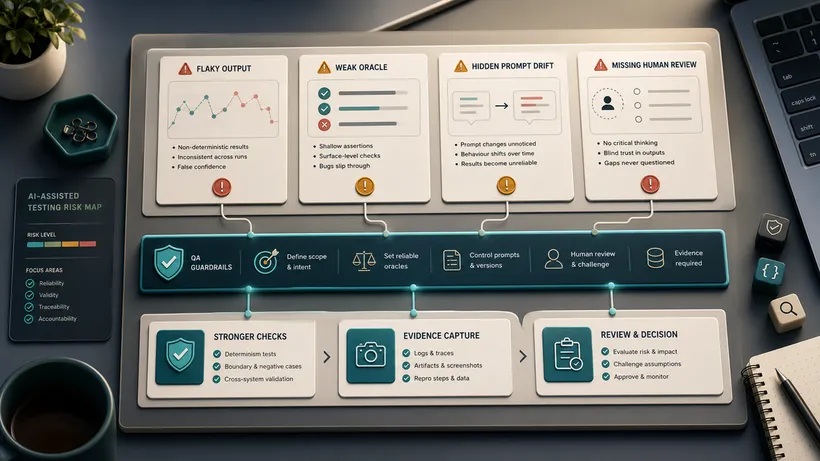
Each of those right-hand rows has a failure mode worth naming, because they are the ones that quietly cost you.
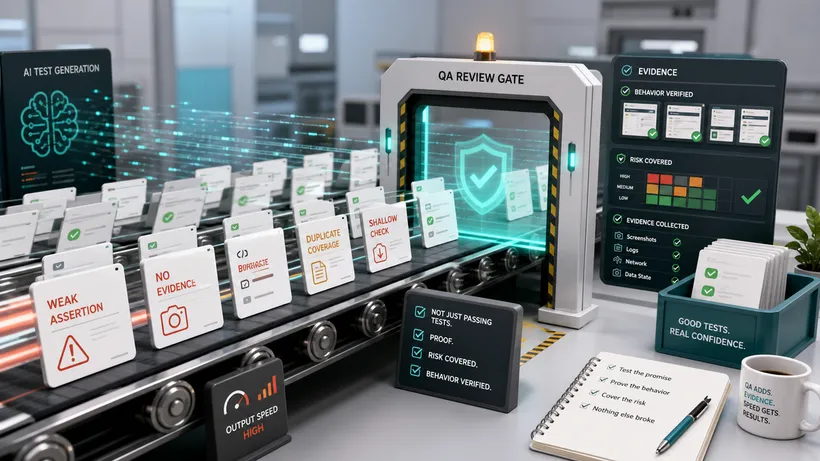
- An AI-generated test can pass while testing nothing. This is the big one. AI will write a test that runs green but asserts the wrong thing, or something trivially true, or exercises the happy path while skipping the case that matters. So hold one question over every generated test: what does this actually prove? A passing AI test is not a tested feature until a human has read it and confirmed it checks what it should. High coverage and a green pipeline feel like safety. A suite of shallow assertions gives you neither.
- Your domain knowledge is the safeguard. AI can produce a hundred tests in a minute, and that is worth nothing if not one encodes the rule that a discount cannot push the order total below zero. You bring that rule. The model does not have it, and will not invent it correctly.
- Do not feed sensitive data or proprietary code into external tools blindly. Real customer records, secrets, and internal source can be logged or retained depending on the tool and the plan you are on. Generate synthetic data instead, use the tools and configurations your company has approved, and treat any external AI service like the third party it is.
- Watch for confident nonsense. AI will invent an API method that does not exist, reach for a locator strategy your framework does not support, or cite a flag removed two versions ago. The cure is simple and non-negotiable: run the code. If it did not run, it is not done, no matter how plausible it reads.
How to actually start
Do not try to AI-generate your whole suite next week. The fastest way to sour a team on this is to dump a pile of unreviewed generated tests into the repository. Start small, let it earn trust, and fit it into the plan you already have rather than bolting it on.
- Onboard before you assign. Write the agent a serious
CLAUDE.mdwith your conventions, naming, and locator strategy, and give it the frontend and backend source it needs. A thin file gives generic tests; a specific one gives tests that fit your project. I keep the full CypressCLAUDE.mdand the complete test-plan skill ready to lift, each with a deep worked example. - Start with a plan, not a test. Take a real feature, hand the requirements to an AI with the context-gathering contract above, and read what comes back. Run the granularity checklist over it, add the cases it missed, then publish it where the team works, a Confluence page or the ticket description, not a file on your laptop.
- Generate the nasty data. Use the
shouldFailprompt with the awkward inputs on purpose. Bad data fails loudly, so the blast radius is tiny while you learn. - Turn one case into one test, with a hard rule that a human reviews and runs it before it merges, and that its name matches the case wording.
- Try the agents on a branch. Run the planner and generator on a slice of your app, and measure whether they genuinely save you time before you depend on them.
- Keep a human on every assertion. Speed is the easy part. Correctness stays yours.
The testers who do well with this are neither the ones who refuse it nor the ones who trust it blindly. They treat AI as a fast, tireless, slightly overconfident pair and keep their own judgement in the driver’s seat.
For the wider picture of how this fits a modern workflow, the move from manual QA to an AI-augmented role is mostly about exactly this shift: less typing, more judgement.
Try it this week. Take one feature, get a test plan from AI with an Open Questions section, run the granularity checklist over it, and generate the nasty data with the
shouldFailfield. That one exercise shows you both the breadth AI brings and the exact spot where your judgement still has to live.

Written by
Julia Pottinger
Hi, I'm Julia. I've been in QA for over a decade. I spend my days testing software and my own time building apps and games, and I write here to share what I learn, the practical, honest lessons you can actually use.

Comments 0
Share your thoughts, ask questions, or add to the conversation.