
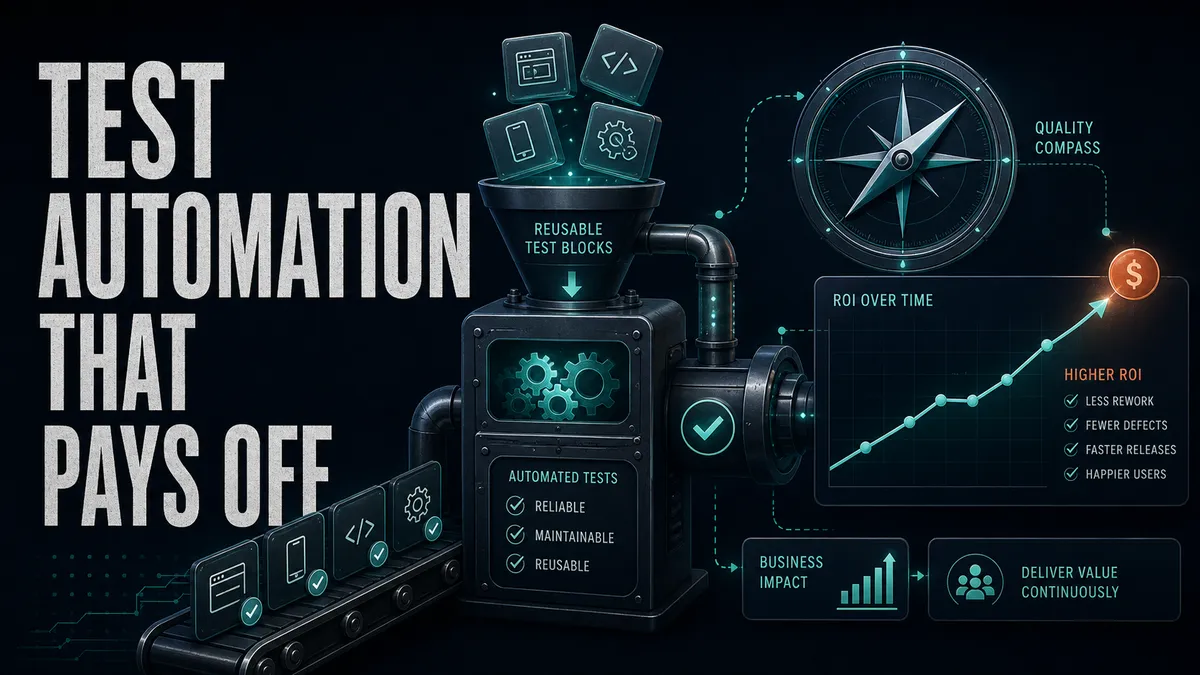
Test automation is supposed to buy back time and confidence: faster regression, fewer escaped bugs, the room to ship on a Friday without holding your breath. But a test earns none of that just because someone automated it.
I have worked on suites with a thousand tests nobody trusted, and suites with eighty the whole team leaned on. The thousand were not the safer bet. They cost hours to run and maintain, and when they went red people shrugged and re-ran until green, so they bought no confidence on top of the cost. A flaky suite is not low value, it is negative value. Eighty tests people believe beat a thousand they re-run every time.
So before you write a single line, the question is not “what can we automate” but “what is worth automating, and what will it cost us to keep alive”.
Automation that pays off is focused, reliable, and tied to genuine risk. Automation that does not is a second product you now have to maintain, one that fails at random, blocks releases, and slowly teaches everyone to ignore a red build.
This is the 2026 update to a guide I first published in 2021. I have left the original guide exactly as it was; this version is everything I would add after a few more years of building and breaking real suites.
Start with the outcome, not the tool
The fastest way to waste a quarter is to start with “we need Playwright” or “we need Selenium” before anyone has agreed on what problem the automation is meant to solve. The tool is the last decision, not the first. Start with the outcome you are actually buying:
- Are you trying to cut regression time so releases stop dragging?
- Are you trying to catch bugs earlier, while they are cheap to fix?
- Are you trying to support continuous integration so every commit gets checked?
- Are you trying to cover more browsers or devices than a person can reasonably click through?
- Are you trying to protect the flows that make the business money?
The answer changes everything downstream.
- Faster release confidence points you at a small, rock-solid smoke suite first.
- Broader regression coverage points you at application programming interface (API) tests and proper test data setup, not a wall of slow browser tests.
- Cross-browser confidence points you at cloud execution and parallel runs.
Name the outcome first and the tool conversation almost answers itself.
Decide the team, the tools, and where it runs
Automation is not only code, and the parts that are easy to skip now are the expensive ones to retrofit later. Before the suite grows, settle a few things:
-
Decide who owns it. A realistic mix of manual and automation skills, and what the manual testers need to learn to contribute, usually a language, a locator strategy, and the framework you land on.
-
Pick the tool against your outcome rather than its popularity. Shortlist two, run a small proof of concept on a genuinely awkward case, and keep the one your team can actually maintain.
-
Write the execution plan down, because “it runs on my machine” is not a plan:
-
where tests run: a dedicated environment whose data you can shape, plus a small, tagged set that is safe against production
-
what data each test needs, whether it has to be masked, and how it sets up and tears down its own
-
what triggers them: locally, on every pull request, nightly, or on a schedule
-
where the code lives, how it gets reviewed and merged, and where the results get reported
Keep that as a living document the whole team can read. A strategy only one person understands is not a strategy, and the test strategy builder walks through the same choices if you want a template.
Automate the right things
Not every test deserves to be automated, and pretending otherwise is how suites get bloated. One clear way to think about this is to score each candidate test on three things:
- Risk is how likely the area is to break and how badly it hurts customers when it does.
- Value is whether the test tells you something new and worth acting on.
- Cost is how long the test takes to script and how easily it can be done at all.
You do not need a spreadsheet to use the idea. You need the instinct. A good automation candidate usually has at least one of these qualities:
- it runs often, on every release or every build
- it carries real business risk if it breaks
- its expected behaviour is stable, so the test is not rewritten weekly
- it is slow or tedious to check by hand
- it is data-heavy, or has to run across many configurations
Strong candidates in most products look like a login smoke flow, the checkout happy path, API validation rules, permission and role checks, subscription status transitions, and any calculation that has to be exactly right. These are the tests that earn their keep on every single run.
Poor candidates are just as worth naming, because forcing automation onto them creates work without creating confidence:
- features that are still changing shape every day
- one-time checks you will never run again
- subjective usability and visual polish that needs human judgement
- flows sitting on unstable or unowned test data
- anything that depends on a manual external approval to proceed
Here is how I sort a backlog of test ideas in practice. High risk and stable behaviour goes to the top and gets automated first. Low risk and still-changing goes to the bottom and stays manual for now.
None of this means you skip testing the bottom-right quadrant. It means a human tests it for now, and automation waits until the behaviour settles and the risk justifies the upkeep.
Test at the lowest level that proves the point
Once you know what to automate, the next decision saves you more time than any tool choice: pick the cheapest level that still gives you real confidence. A browser test is the most expensive, slowest, and flakiest way to check anything, so reach for it only when you genuinely need a browser.
The further down the stack you push a check, the faster and steadier it runs. For service-heavy systems, that usually means a strong middle layer of API, contract, and integration checks rather than slow end-to-end clicking. For browser-heavy products, it still means asking whether the thing you care about is the visual journey, the component behaviour, or the service rule underneath it.
Take promo code rules as a concrete example. Imagine you need to verify expired promos, invalid promos, one-use promos, minimum cart value, product-specific promos, and region-specific promos. You could drive a full browser through checkout for each one. You should not.
Heavy and slow (avoid): a browser test per promo rule
  - open browser, log in, add to cart, go to checkout
  - apply expired promo, assert message
  ... repeat the whole journey six times, fighting timing on each
Push the rules down to the layer that actually owns them, and keep the browser for the one or two things only a user can confirm.
API and service tests (fast, stable): one per rule
  - expired promo            -> rejected
  - invalid promo            -> rejected
  - one-use promo            -> accepted once, rejected the second time
  - minimum cart value       -> rejected below threshold
  - product-specific promo   -> applies only to eligible items
  - region-specific promo    -> applies only in eligible regions

UI tests (just the human-visible behaviour): two
  - verify that a user can apply a valid promo and see the discount
  - verify that an invalid promo shows a clear, helpful message
You went from six brittle browser journeys to six quick API checks plus two focused UI tests. The suite runs in a fraction of the time, and when something breaks, the failing layer tells you almost exactly where the bug lives.
If you want to go deeper on testing below the UI, the API and microservices testing guide covers the patterns I use.
Build the framework for the people who maintain it
A framework is not there to impress anyone. It is there to make the common actions easy and to keep tests readable for the tired engineer debugging a failure at 6pm.
If only one person on the team understands how it works, the team does not really have a framework. They have a dependency on that one person, and it will hurt the week that person is on leave.
A healthy framework does not need to be elaborate. It mostly needs to cut repeated code and make the intent of each test obvious. The pieces that earn their place:
- a clear folder structure, with page or screen objects where they reduce repetition
- reusable API helpers and test data factories, so each test owns its own data
- environment configuration and sensible reporting
- tags so you can run a slice of the suite, plus parallel execution
- a retry policy you have actually thought about, and a cleanup strategy
- a short README so a new teammate can run the tests locally and in continuous integration (CI) without asking anyone
That sounds like a lot, but most of it is small, and the goal is not a cathedral.
A structure roughly like this carries a real project a long way:
tests/
  smoke/
  regression/
  api/
pages/
  LoginPage.js
  CheckoutPage.js
helpers/
  auth.js
  testData.js
  apiClient.js
config/
  environments.js
Resist the urge to over-engineer it before you have tests to justify the abstraction. Build the structure as the pain appears, not in anticipation of pain you have not felt yet.
Keep tests readable enough to debug on a tired day
A test should read like a short story about what a user does, because the moment it fails, that story is the first thing you have to understand. Compare these two. The first is technically fine and genuinely miserable to read when it breaks:
await page.locator('#email').fill('test@example.com');
await page.locator('#password').fill('Password123!');
await page.locator('.btn.primary').click();
await page.waitForTimeout(3000);
await expect(page.locator('.dash-title')).toHaveText('Dashboard');
The second says what it means:
await loginPage.open();
await loginPage.loginAs(testUser);
await expect(page.getByRole('heading', { name: 'Dashboard' })).toBeVisible();
The reason that second version reads so well is the page object behind it. loginPage.loginAs(testUser) is one readable line in the test because the messy detail, the locators and the steps, lives in one file that the whole suite shares.
That is also the right home for the next habit: find elements the way a person or a screen reader would, by their visible label or their role, rather than by styling that a designer will happily change next sprint. Accessible locators are both clearer and more durable, and every major framework now recommends them, so define them inside the page object and the whole suite inherits them:
// pages/LoginPage.js
class LoginPage {
  get emailField() { return page.getByLabel('Email address'); }
  get passwordField() { return page.getByLabel('Password'); }
  get signInButton() { return page.getByRole('button', { name: 'Sign in' }); }

  async open() { await page.goto('/login'); }

  async loginAs(user) {
    await this.emailField.fill(user.email);
    await this.passwordField.fill(user.password);
    await this.signInButton.click();
  }
}
Now the durable, accessible locators sit in one place. The test stays the three readable lines above, and the day a designer renames a class or restyles the button, nothing in your tests changes. When the label or role does change, it is a one-line fix in the page object, not a hunt through every spec.
One more small habit that pays off forever: name tests by the behaviour they prove, so a failure in the report reads like a sentence. “verify that an invalid promo shows a clear message” tells you what broke before you have opened a single log. “test promo 2” tells you nothing.
Take flaky tests personally
A flaky test passes and fails on the same code, and it is the single fastest way for automation to lose a team’s trust. I have sat on a team where a red build stopped meaning anything: someone would say “just run it again”, the second run went green, and we moved on. Nobody was lazy. The suite had cried wolf so many times that re-running was the only sensible thing left. But once “run it again” is the habit, you cannot trust green either.
This is not a fringe problem. The largest engineering organisations treat flakiness as a standing tax worth dedicated tooling and quarantine lanes; Google has written publicly about how widespread it is in their own suites and the systems they built to manage it.
Your suite is smaller, but the math is the same: a handful of unreliable tests can poison confidence in all the good ones.
The causes are well understood, which means flakiness is fixable, not fate. The usual culprits:
- fixed sleeps like
waitForTimeout(5000), which are either too short to be safe or too long to be fast - selectors tied to CSS classes that change with the design
- shared accounts that tests modify out from under each other
- tests that depend on running in a particular order
- live external services with no test mode or mock
- animations and loading states the test does not wait for
- no cleanup, so each run starts from whatever the last one left behind
Each of those has a fix, and they share a theme: wait for a specific state instead of a number of seconds, use stable locators, give every test its own isolated data, keep tests independent, and capture screenshots, video, and logs on failure so you can see what happened instead of guessing.
Above all, treat a flaky failure as a real defect with an owner, not as noise to be re-run away. The smallest version of this fix is the most common one:
// Brittle: hope three seconds is enough, every single time
await page.waitForTimeout(3000);

// Reliable: wait for the actual API call the UI is waiting on, then assert what the user sees.
// Arm the wait before the click so you never miss a fast response.
const payment = page.waitForResponse(
  (res) => res.url().includes('/api/payment') && res.ok()
);
await page.getByRole('button', { name: 'Pay now' }).click();
await payment;
await expect(page.getByText('Payment complete')).toBeVisible();
Waiting on the real network call, not a screenshot of text, is what makes this reliable. The UI only shows “Payment complete” because that request came back, so wait for the request and the screen together.
In Cypress the same idea is cy.intercept to alias the call, then cy.wait('@payment') before you assert.
Do not automate without ownership
Automation is not a thing you finish. It is a thing you maintain. An unowned suite rots in a predictable way: a feature changes, a few tests start failing, nobody has time to look, the team starts ignoring red, and within a couple of months the suite is dead weight that everyone routes around.
Treat the suite as a product with an owner and a few agreed rules, each with a clear finish line so “we should maintain it” turns into something that actually happens:
- Owner: QA. Review new tests before they merge. Done when: no test lands without a behaviour-based name and a check that it is testing at the right level.
- Owner: QA. Triage and resolve flaky tests. Done when: every flake has a ticket and an owner within a day, and nothing flaky sits in the merge-blocking set.
- Owner: Dev. Fix tests broken by a feature change as part of that change. Done when: the feature is not considered done until its tests are green again.
- Owner: EM. Run a suite health review on a set cadence. Done when: the flaky rate and the slowest tests are looked at every month, not just when the build is on fire.
- Owner: EM. Decide which tests block a release and which only inform. Done when: that split is written down, so a flaky cross-browser test cannot quietly hold up a ship.
If nobody has time for any of that, the team has not actually invested in automation. They have written code that will age badly and call it a strategy.
Measure confidence, not test count
The weakest automation story I hear is “we automated 200 test cases”. It sounds like progress and measures almost nothing. Two hundred tests could be two hundred reasons to trust your release or two hundred flaky scripts nobody reads.
Measure the outcomes you set out to buy at the start:
- regression time reduced
- critical bugs caught before release rather than after
- time from code complete to test feedback
- the flaky test rate, watched as a number that should go down
- how long it takes to diagnose a failure
- the share of high-risk flows actually covered
- manual effort freed up for exploratory testing
- release confidence, even if you only track it as a team gut-check
A before-and-after is far more persuasive than a tally:
- Regression took 3 days of manual clicking.
- QA repeated the same 40 smoke checks by hand every release.
- Bugs surfaced late, and releases slipped.
- Smoke suite runs in 12 minutes on every release candidate.
- Manual testing focuses on risky changes and exploration.
- Regression is down to a day, with better coverage of critical flows.
It also helps to anchor your numbers to something the wider organisation already respects. The DORA software delivery performance metrics (deployment frequency, change lead time, change failure rate, and failed deployment recovery time) are a well-established way to show that better testing moves real delivery outcomes.
There is a timely reason to lean on them, too. The 2024 Accelerate State of DevOps report found that for every 25% increase in AI adoption, delivery stability dropped by an estimated 7.2%, and its recommendation is to hold onto fundamentals like small batches and robust automated testing.
The 2025 report updated that picture: AI now shows a positive relationship with delivery throughput, while stability still suffers without those same fundamentals.
The more code your team generates with AI, the more your test suite is the thing standing between you and a shakier release.
Know what to leave to humans
Automation is brilliant at checking expectations you can state in advance. It is useless at noticing the things you did not think to check. Some of the most important quality signals still need a person:
- copy that is technically correct but confusing
- a flow that works but feels awkward
- visual polish and whether the layout actually looks right
- the first-time experience for someone who has never seen the product
- accessibility beyond what an automated scan can catch
- error states that are clear and trustworthy
- the general sense that something feels broken even when every assertion passes
Automated checks confirm that the things you knew to verify still work. Humans investigate the experience and find the surprises.
A suite that frees your testers from repetitive clicking so they can do more of that exploratory work is automation paying off in its purest form.
Where this leaves you
Here is how the pieces fit together, so you can see at a glance which decisions make a suite worth having:
| Decision | Pays off when | Does not pay off when |
|---|---|---|
| What you automate | Tied to real risk and stable | Automated for the count |
| What level you test at | Lowest layer that proves it | Everything through the browser |
| How tests read | Behaviour-named, accessible locators | CSS selectors and fixed sleeps |
| Flaky tests | Triaged like real defects | Re-run until green |
| Ownership | A named owner and rules | Nobody maintains it |
| What you measure | Confidence and delivery outcomes | Number of test cases |
None of this depends on the tool on the box. It depends on staying focused, protecting the critical flows first, and treating the suite as something you maintain rather than something you finish.
If you want to turn these decisions into a plan for your own project, the test strategy builder walks you through the same choices step by step. And if an agent is now writing most of your tests, the strategy layer that sits on top of this craft, deciding where AI is allowed, reviewing what it generates, and keeping its green honest, is in a modern test automation strategy for the AI era.
Automation was never the goal. Confidence is the goal, and a suite the whole team trusts is how you get there.

Written by
Julia Pottinger
Hi, I'm Julia. I've been in QA for over a decade. I spend my days testing software and my own time building apps and games, and I write here to share what I learn, the practical, honest lessons you can actually use.

Comments 0
Share your thoughts, ask questions, or add to the conversation.