
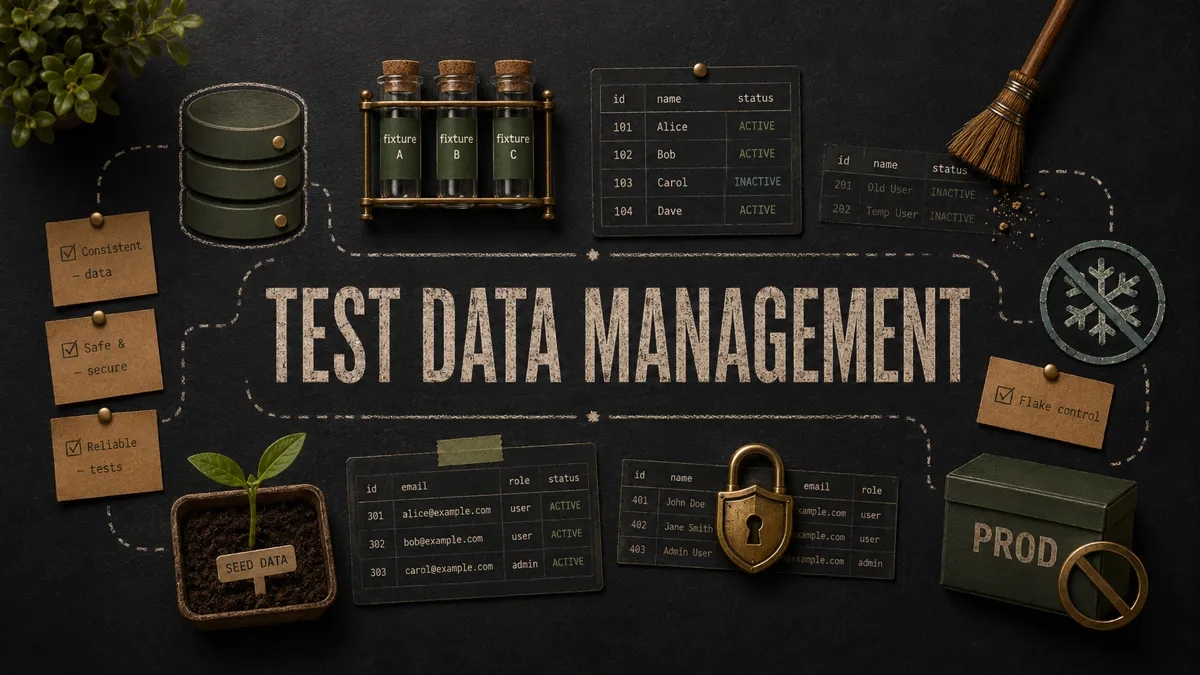
Bad test data can make a good product look broken. It can also make a broken product look fine.
So test data is not an admin chore you sort out after the test is written. It is part of the test design. The account you use, the order state you start from, the permissions you assign, the cleanup you run afterward, and the data you refuse to touch all shape what a passing test can actually prove.
A lot of what teams call “flaky automation” is really a data fight underneath. Two tests writing to the same record, leftover state from a run that never cleaned up, a shared account a human changed between runs. I have watched automation get blamed for being unstable when the real issue was old sessions, or clean screens sitting on top of bad records, or tests fighting over the same user.
So before I trust a green check, I want to know one thing: what state did this test start from, and can I get that same state every single time I run it?
What test data management really covers
DORA names test data management as a delivery capability because teams need fast, secure access to useful data for testing. That sounds simple until you are the person trying to test refunds, expired sessions, address validation, role permissions, retries, tax, delivery windows, and edge cases without touching production records.
For QA, test data management means you can answer these questions before the test starts:
| Data question | Why it matters |
|---|---|
| What exact state does this test need? | A checkout test may need an active user, a saved address, available inventory, a payment method, and a clean cart. |
| Who owns creating it? | If QA waits on someone to “set up an account” every time, testing slows down and gets inconsistent. |
| Can the test run alone? | A test that only passes after another test ran first is not a reliable test. |
| Can the test run twice? | Reruns matter. CI retries matter. Local debugging matters. |
| What gets cleaned up? | Leftover orders, users, tokens, files, and messages become tomorrow’s mystery bug. |
| Is the data safe? | Real customer data should not be copied around because it makes a test feel more realistic. |
| Can the failure be explained? | If the data is hidden magic, the failure is hard to debug. |
This is where the data fight from the top shows up in the day-to-day. The locator is fine, the assertion is fine, and the thing that moved between the green run and the red one was the state the test started from. When a flaky test shows up around data, check whether two runs were fighting over the same record before you touch the timing or the selector.
The four kinds of test data
I find it useful to separate data by purpose. One bucket does not fit everything.
| Data type | Use it for | Example | Risk if handled badly |
|---|---|---|---|
| Static reference data | Values the app needs to exist before tests run | Countries, currencies, product categories, plan types | Tests fail because a shared config changed |
| Seeded scenario data | Known records created for a test run or suite | A Vendly user with an unpaid invoice | Tests pass only in one environment |
| Dynamic test data | Records created during the test | A new Vendly order created through the API | Cleanup is forgotten and future tests collide |
| Synthetic edge data | Safe fake data designed to hit risks | Long names, invalid addresses, duplicate emails, expired dates | The team tests only happy paths |
If the data is shared and long-lived, protect it. If the test mutates it, isolate it. If the data represents a risky edge, name the reason it exists.
A simple decision rule
When I am deciding how to supply data for a test, I use this order:
- Create the data through an API or setup helper when the test needs ownership.
- Seed the data when the state is expensive but must be predictable.
- Use fixtures when the data is static, small, and safe.
- Use a dedicated test account only when the workflow truly needs a long-lived identity.
- Do not use production personal data just because it is easy.
The last one matters. Realistic data is useful. Real customer data is a liability.
Data strategy table
Use this before adding a test to CI.
| Scenario | Better data approach | Cleanup | Evidence to keep |
|---|---|---|---|
| New user signup | Generate a unique email such as qa+checkout-${Date.now()}@example.test | Delete user through API or mark test namespace for nightly cleanup | Email used, user ID, API response |
| Existing paid customer | Seed a customer with a named plan and known renewal date | Reset subscription state after suite | Customer ID, plan, renewal date |
| Role permission check | Create users for each role through setup helper | Delete role bindings and users | User IDs, role names, protected route |
| Checkout or booking | Create cart/order in setup, or drive the flow if that is what you are testing | Cancel order, release inventory, clear cart | Order ID, inventory SKU, payment stub result |
| Failed payment | Use payment provider test tokens or a fake gateway in test mode | No real charge. Clear failed order state | Token name, gateway response, order status |
| Messaging, email, or async job | Use a test mailbox, queue, or fake downstream service | Purge messages by run ID | Message ID, queue job ID, timestamp |
| Report or dashboard | Seed records across the needed date range | Remove rows by run ID or test tenant | Query filter, generated rows, expected total |
| File upload | Upload a small safe fixture with a unique name | Delete file and metadata | File name, storage key, scan status |
Notice the pattern: each row names setup, cleanup, and evidence. That work keeps the test understandable when it fails at the worst possible time.
Isolation is the boring superpower
Modern test tools push you toward isolation for a reason. Playwright fixtures are designed to give each test what it needs, and Playwright also runs tests in isolated browser contexts for auth scenarios. Cypress test isolation has the same core idea: tests should be able to run independently and still pass.
That principle should apply to your data too.
If test B needs test A to create an order, you do not have two independent tests. You have one long, fragile flow split across files.
A better pattern:
import { test, expect } from '@playwright/test';

test('manager can approve a pending refund', async ({ request, page }) => {
  const runId = `refund-${Date.now()}`;

  const refund = await request.post('/test-data/refunds', {
    data: {
      runId,
      customer: 'Julia Pottinger',
      amount: 42.5,
      state: 'pending',
    },
  });

  const { refundId } = await refund.json();

  await page.goto(`/admin/refunds/${refundId}`);
  await page.getByRole('button', { name: 'Approve refund' }).click();

  await expect(page.getByText('Refund approved')).toBeVisible();

  await request.delete(`/test-data/runs/${runId}`);
});
The exact endpoint is fictional, but the shape is real: create the state, run the check, clean up by run ID. That run ID is the thread that runs through the whole life of a test’s data, and it is what lets a hundred runs share an environment without ever colliding.
I learned where this pattern stops the hard way. On a promotions service for a large retail platform, our API suite ran fifteen tests wide in parallel, and most of it was fine, because each test created and cleaned up its own tagged records. The tests that flaked were the handful that touched a shared promotion cache. One test would flush or reload that cache while another was mid-assertion, and the second test would fail on a value that had been correct a second earlier. Run on its own, every one of them passed. That is the signature of shared state: green in isolation, red in a crowd.
A run ID could not save these. The thing they collided over was not a row I could tag, it was one cache the whole process shared. So we stopped pretending they were independent. We pulled the cache-touching tests into their own group that runs serially, on its own, while everything else stayed parallel. The flakes went away, and the parallel suite kept its speed.
Tag what you can isolate. Serialize what you cannot.
If your app has no test-data endpoints, raise it. That is a gap in the delivery system, and it is worth fixing rather than working around test by test.
When to seed, when to build during the test
Do not drive the UI for every setup step. That makes tests slow and noisy.
The rule is simple: drive through the UI only what you are actually testing, and get everything else into place the fast, quiet way. If you are testing checkout, drive checkout. If you are testing refund approval, do not spend the first minute creating an order through the UI unless the order creation is part of the risk you are trying to prove. In practice that means:
- Put the system into a known state with an API call or a seed script. Far faster and far less flaky than clicking through setup screens.
- Test business logic below the UI at the service level. Then a change to the app shell does not add noise to a logic test.
- Seed a dataset with known totals and dates when you are checking analytics or reports, so you know the number the screen should show.
- Save an auth state once instead of logging in at the top of every test.
The mistake is treating setup like the test. Setup should be quiet unless setup is the thing under test.
Controlled data behind a real dependency
Mocks can be useful. They can also lie. A constraint or migration bug needs a real database in test mode, because a mock will happily accept the row the real schema would reject. The same goes for a uniqueness rule or a foreign key: only the real engine enforces it, so only the real engine proves your data is shaped the way you think.
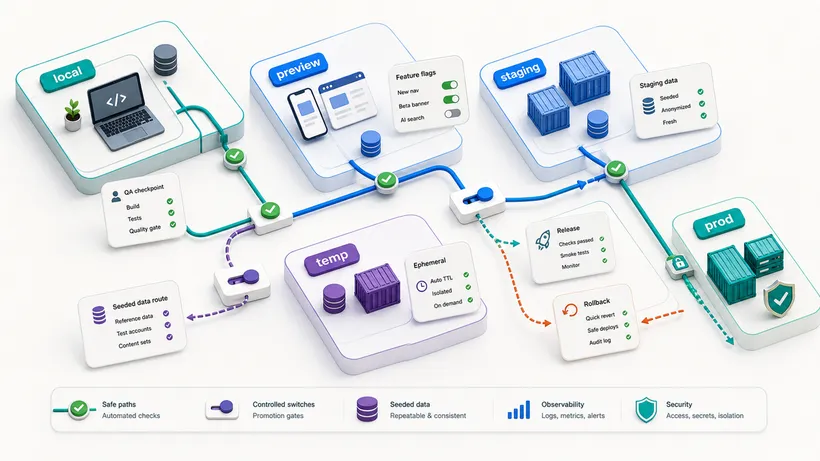
So when the risk lives in the data itself, run against the real dependency and control the data behind it: seed the exact rows, tag them with a run ID, and assert on what the real store accepted or rejected. The decision about which dependency to make real versus fake, and how to stand one up with service containers or Testcontainers, is an environment decision; I cover that choice in test environment strategy for QA. This article is about the data you put behind it.
The cleanup checklist
Cleanup only holds when someone owns it and there is a clear finish line. The minimum worth agreeing on:
- Owner: the test author. Tag and clean up everything a test creates. Done when: every record carries a run ID, test tenant, or unique prefix, and the cleanup step removes all of them by that tag without guessing.
- Owner: the test author. Keep the suite safe when cleanup fails. Done when: a failed cleanup cannot break the next run, because the next run mints its own fresh data, and long-lived accounts are reset to a known state before use rather than mutated in place.
- Owner: QA / platform. Sweep what slips through. Done when: a nightly job deletes abandoned test data, files, emails, queue messages, tokens, and sessions included, and no unmasked production personal data exists in any non-production environment.
Before a test joins the main suite, I want these answers:
- Does every created record carry a run ID, test tenant, or unique prefix?
- Can the cleanup remove all records for that run without guessing?
- If cleanup fails, will the next run still create unique data?
- Does the test avoid shared mutable accounts where possible?
- Are long-lived accounts reset to a known state before use?
- Are files, emails, queue messages, notifications, tokens, and sessions included in cleanup?
- Is there a nightly cleanup job for abandoned test data?
- Can QA find the created records from the failure output?
- Is production personal data excluded or masked?
- Is the data setup documented beside the test, not trapped in someone’s memory?
One weak cleanup path can poison a whole suite.
What I would ask the team
If I joined a team and the tests were flaky around data, I would ask:
- Which tests mutate shared records?
- Which tests depend on order?
- Which accounts are reused by humans and automation?
- Which data is created through the UI only because no API helper exists?
- Which tests fail only at month-end, daylight saving changes, subscription renewal, or inventory limits?
- Which failures are “fixed” by rerunning without anyone knowing why?
- Which environments have different seed data?
- Which data would we be embarrassed to discover came from production?
That last question is uncomfortable on purpose.
A small test data plan
You do not need a giant process document. Start with this.
| Area | Decision |
|---|---|
| Naming | Every automated test record starts with qa_auto_ and includes a run ID |
| Ownership | QA and developers can create seed data through documented helpers |
| Accounts | Long-lived accounts are read-only unless the test resets them first |
| Cleanup | Suite cleanup deletes by run ID. Nightly cleanup deletes stale qa_auto_ records older than 48 hours |
| Privacy | No unmasked production personal data in local, preview, QA, or staging environments |
| Dates | Tests use fixed clocks or explicit dates when validating renewals, reports, and expiry |
| Evidence | Failures log the user ID, order ID, run ID, environment, build, and seed script version |
| Review | Flaky failures are reviewed for data collisions before selectors are blamed |
That is enough to improve a messy suite quickly.
Where AI helps
AI can help generate edge data, suggest missing equivalence classes, draft seed scripts, and scan failures for data collisions. It is useful when you give it the schema, constraints, factories, existing test helpers, and a real failing run.
But it should not decide that production data is safe to copy. It should not silently invent data rules. It should not turn a setup shortcut into a permanent testing habit.
Ask it for options. Keep the judgment.
Related resources
- Use the Boundary & Equivalence Generator when you need the right values for one input rule.
- Use the Test Automation Strategy Builder when you need to decide what belongs in automation first.
- Read Data Quality Bugs: When the UI Is Not the Real Problem if the issue is source-of-truth mismatch, not setup.
The point
Test data is part of the test.
If the data is vague, shared, stale, unsafe, or impossible to clean up, the test is weaker than it looks. A green check only means something when you know what state it proved.
Start small. Pick one flaky area. Give every test-owned record a run ID. Add cleanup. Log the IDs in the failure output. Then watch how many “random” failures suddenly become explainable.

Written by
Julia Pottinger
Hi, I'm Julia. I've been in QA for over a decade. I spend my days testing software and my own time building apps and games, and I write here to share what I learn, the practical, honest lessons you can actually use.

Comments 0
Share your thoughts, ask questions, or add to the conversation.