
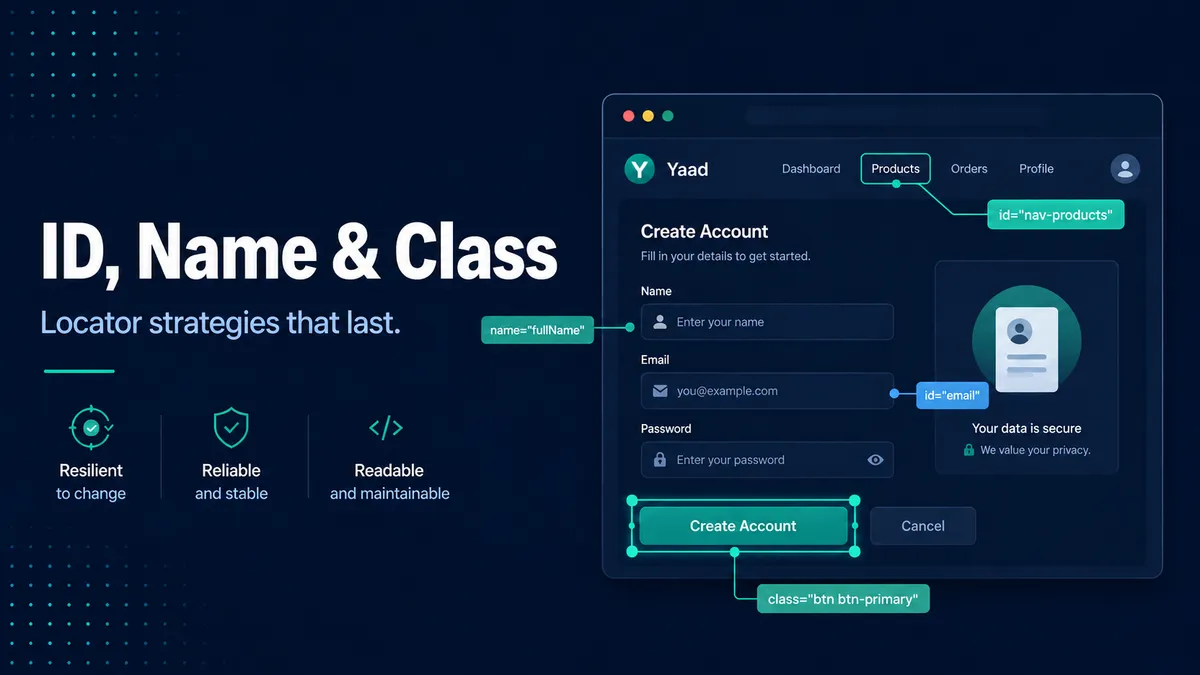
This is Part 2 of the locator strategies series. If you are new to locators, start with the introduction.
An id looks like the safest thing to grab. It is unique, it sits right there in dev tools, and the test passes the first time. Then a framework regenerates it on the next deploy, the value changes from something like ember742 to ember893, and the test can no longer find the button, even though nothing about the button changed. The handle that looked so trustworthy was never really yours to trust.
That is the trap I want to save you from here. id, name, and class sit right next to each other in the markup, but they are not equally trustworthy. Some describe what an element is, and those tend to last. Others describe how an element looks, or a framework generated them, and those change without anyone deciding to break your test. Once you can tell the two apart, most of what makes a suite brittle stops surprising you. So here is how I read all three.
The id: your best handle, when a person chose it
A unique id is the cleanest locator there is. It is fast, it points at exactly one element, and the syntax is short.
<button id="place-order">Place order</button>// CSS, in any tool
'#place-order'The catch is the word unique. Modern frameworks generate id values all the time, and a generated one looks just as solid as a real one until the day it moves. Look at these three:
<button id="place-order">Place order</button>   <!-- a person named this -->
<button id="ember742">Place order</button>       <!-- a framework generated this -->
<div id=":r1a:">...</div>                         <!-- React's useId output -->
The first id reads like something a developer typed on purpose. The other two have a counter or a hash in them, and that is the tell. ember742 becomes ember896 on the next render. :r1a: is React generating a guaranteed-unique value that has nothing to do with the meaning of the element, and it will be different the next time the component mounts. When you see a number that looks like a running count, or a string that looks like a hash, treat that id as throwaway.
So the rule I use is short. If a human named it, an id is the best thing you can target. If a machine generated it, it is the worst, because it looks fine in dev tools today and it is gone tomorrow. That morning my test broke, this is the exact difference I had missed.
The name: stable because the app depends on it
The name attribute on a form field is quietly one of the most reliable locators you have, and it is underused.
<input type="email" name="email" />// CSS, in any tool
'[name="email"]'Here is why it holds up. The name is what the browser submits to the backend when the form is sent, and the server reads email out of that submission. That makes name load-bearing for the application itself, not just for your test. A developer who renames it has to change the backend too, and people do not casually rename the thing that will break the form.
So your selector inherits that stability for free. Whenever you are automating a form, check for a name before you reach for anything cleverer.
The class: built for styling, not for you
Most of the brittle selectors I have had to fix trace back to a class. A class is made for one job, styling, and styling is the thing designers change most often.
<button class="btn btn-primary css-1a2b3c">Add to cart</button>There are three different kinds of class hiding in that one element, and they are not equal:
btn-primarydescribes how the button looks. A redesign that turns primary buttons green, or renames the style tobtn-cta, breaks your test even though the button still does exactly the same thing.css-1a2b3cis generated by a styling tool such as CSS Modules or styled-components. It is rebuilt on every deploy, so it is different every time. Targeting it is the same mistake as targetingember742.- A utility class like
px-4orpy-2from a framework such as Tailwind describes spacing, nothing more. Dozens of unrelated elements share it.
A single class that describes purpose, like .product-title, is usable in a pinch. But for buttons and anything interactive, I stop leaning on classes at all and ask the developers for a dedicated data-testid. That is exactly what the next part is about.
Is this attribute safe to target?
When you are staring at an element in dev tools, this is the question to run through. The marks are ✓ safe, ~ usable but fragile, and ✗ avoid.
| What you see | What it really is | Safe? | Why |
|---|---|---|---|
#place-order | An id a person chose | ✓ | Tied to what the element is, and humans rarely rename ids |
#ember742, #:r1a: | An id with a counter or hash | ✗ | A framework generated it; it changes on the next render or build |
[name="email"] | A form field’s name | ✓ | The app submits it, so developers leave it alone |
.product-title | A class describing purpose | ~ | Works, but a redesign can still rename it. Prefer a test id |
.btn-primary, .px-4 | A class describing appearance | ✗ | Styling changes, and these change with it |
.css-1a2b3c, .sc-AxjAm | A generated style class | ✗ | Rebuilt on every deploy. Never target it |
The whole table comes down to one idea: target what an element is, not how it looks. An id a developer named and a name the form submits are both tied to the element’s meaning, and meaning is slow to change. A styling class is tied to appearance, and appearance changes every sprint.
Where this leaves you
You now have the three locators every tester meets first, and a way to tell the safe ones from the impostors. A human-named id and a form name are worth reaching for. Classes are mostly a styling concern you should be wary of, and any id or class with a hash in it was never a real handle.
The habit that has saved me more than any rule here is small. Before I write a selector, I open the element in dev tools and ask whether it would still be true after a redesign. If the answer is no, I keep looking. You can keep the locator cheat sheet open while you do it.
Most of your locators, though, will not be a bare id or class. They will be CSS selectors that combine these attributes into something precise, and that is where the real craft is. That is Part 3, on writing CSS selectors that survive a redesign.

Written by
Julia Pottinger
Hi, I'm Julia. I've been in QA for over a decade. I spend my days testing software and my own time building apps and games, and I write here to share what I learn, the practical, honest lessons you can actually use.

Comments 0
Share your thoughts, ask questions, or add to the conversation.