
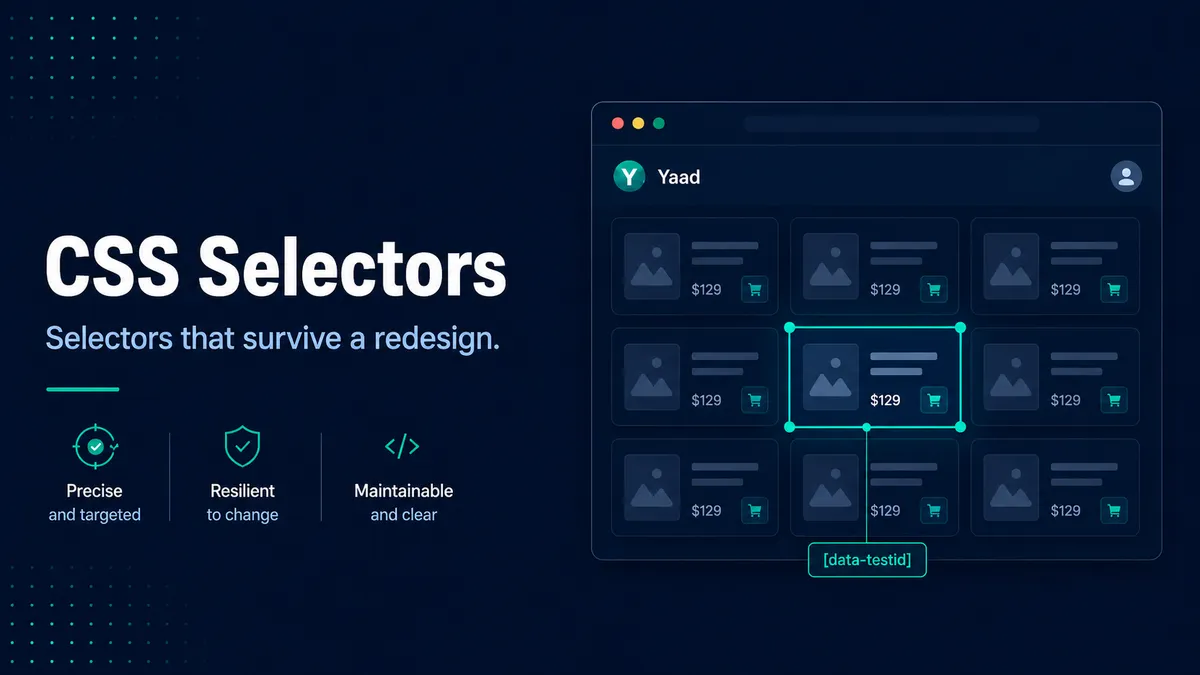
This is Part 3 of the locator strategies series. It builds on Part 2, on id, name, and class.
A CSS selector can break when nothing about the product has actually changed. A designer reorders the buttons in a toolbar, and a selector tied to :nth-child happily starts pointing at the wrong one, going red in continuous integration (CI) the next morning. The button was on the page the whole time. The selector was never really looking for the button. It was looking for a position, and the position moved.
That is what you are up against with CSS selectors. A good one and a brittle one look almost identical until the page changes, and then only one of them is still standing. The difference comes down to what the selector is anchored to. Anchor to a stable attribute and it keeps working through a redesign. Anchor to position or styling and it breaks the first time a designer touches the page. The whole craft comes down to one habit: reach for what an element is, not where it sits or how it looks.
Most of the locators you write will be CSS selectors. They are how you point at an element in nearly every test tool, they are quick to write, and you can try them straight in dev tools before a single line of test code runs. So when I need a selector I can trust, I work in this order:
- Reach for a stable attribute first. A
data-testid, a realname, anaria-label: something that describes what the element actually is. - Skip position and generated classes.
:nth-child(2)and.css-1a2b3cchange without warning, and they take your test down with them. - Confirm it in the browser. Paste the selector into the Console and check it matches exactly one element before you trust it.
The parts of a CSS selector
A CSS selector is built from a small set of pieces you combine. Four of them do almost all the work, and you already met three in Part 2:
'#place-order'              // an id, prefixed with #
'.product-title'            // a class, prefixed with .
'[name="email"]'            // an attribute, in square brackets
'button'                    // a tag name, on its own
You combine those to be more specific. You can stack them on a single element with no space between them, which means “all of these are true of the same element”:
'button.btn-primary'              // a <button> that also has class btn-primary
'input[name="email"]'             // an <input> whose name is email
'a.nav-link[href="/products"]'    // all three true of one anchor
Or you separate them with a space to describe an element inside another:
'.cart [name="email"]' // a name="email" anywhere inside something with class cartEverything beyond this is a way of being more precise: matching part of an attribute’s value, describing where an element sits relative to another, or filtering by what an element contains or what state it is in. Used well, that precision makes a selector both unique and stable. Used badly, it is exactly what makes a selector fragile. The rest of this guide is about staying on the right side of that line.
Attribute selectors, where stability lives
The most reliable CSS you can write targets a meaningful attribute. Attribute selectors are also more flexible than most people use them, because you can match the whole value or just part of it. Here is the full set of operators, because the partial-match ones are where a lot of real-world selectors live.
| Operator | Matches when the attribute | Example |
|---|---|---|
[attr] | exists at all | [disabled] |
[attr="value"] | equals the value exactly | [name="email"] |
[attr^="value"] | starts with the value | [href^="/products/"] |
[attr$="value"] | ends with the value | [src$=".svg"] |
[attr*="value"] | contains the value anywhere | [data-testid*="add-to-cart"] |
[attr~="value"] | has the value as one whole word in a space-separated list | [class~="primary"] |
[attr|="value"] | equals the value or starts with value- | [lang|="en"] |
[attr="value" i] | matches case-insensitively (the i flag) | [type="email" i] |
The three you will reach for most are ^=, $=, and *=. They are genuinely useful when the stable part of a value is meaningful: every product link that starts with /products/, every icon whose src ends in .svg, every test id that contains add-to-cart. The word-match operator ~= is the honest way to target one class on an element that has several, because [class~="primary"] matches class="btn primary css-1a2b3c" cleanly without caring about the order or the junk around it.
These same operators are a trap the moment you point them at generated values. Matching [class^="css-"] or [id^="ember"] is just a longer way of depending on the throwaway values from Part 2. A partial match is only ever as stable as the part you match on. Match a meaningful prefix and it holds; match a hashed one and you have written a brittle selector that happens to look clever.
data-testid, a selector your team agrees on
The single best thing you can do for your selectors is not a CSS trick. It is a short conversation with your developers.
A data-testid (some teams use data-test or data-cy) is an attribute that exists for one reason: to give tests a stable handle. Designers never touch it because it carries no styling, and refactors leave it alone because it drives no behaviour. It says, in the markup itself, “this is for the tests, do not repurpose it.”
<button data-testid="add-to-cart-102" class="btn btn-primary css-btn7">
  Add to cart
</button>'[data-testid="add-to-cart-102"]'A couple of habits make test ids pay off instead of becoming their own kind of mess:
- Name them for what the element is, not where it sits. Use
checkout-submitrather thanfooter-button-2, so the handle survives a layout change. - Fold a stable identifier into repeated things. For table rows or product cards, give each row
row-{userId}so you can target one exact record instead of counting. - Strip them from production if shipping test hooks worries your team. Most build tools can remove
data-testidattributes from the production bundle, so you get the stability in your test and clean markup for users.
You do not need a test id on everything. Ask for them where a broken selector would cost you the most: the primary action on each screen, the fields in your critical flows, the rows in your important tables. Those are the places worth the thirty seconds it takes a developer to add one.
Pseudo-classes, the robust ones and the traps
Pseudo-classes filter a selection by something CSS knows about an element beyond its attributes: its state, its position, or what it contains. Some of them are among the most robust tools you have. Two of them are the most common source of brittle selectors in existence. It is worth knowing which is which.
The robust ones describe meaning or state:
'input:checked'                  // a checked checkbox or radio, by its real state
'button:disabled'                // a disabled button, by its real state
':is(h1, h2, h3) .anchor'        // groups selectors without repeating the tail
'.product:not(.sold-out)'        // excludes a meaningful state
'.product:has(.badge-sale)' // a product card that contains a sale badge:checked, :disabled, :enabled, :required, and :focus are excellent, because they target the element’s actual state rather than a class someone hopefully remembered to add. :not() is clean when the thing you exclude is meaningful. :is() and :where() let you group without repetition, and :has() is the one that changed the game, because it finally lets CSS pick an element by what sits inside it, which used to be XPath’s job alone.
The traps are the positional pseudo-classes:
'.products li:nth-child(2)'      // the SECOND list item, whatever that happens to be
'.menu a:first-child'            // the first link, until someone adds one before it
'tr:last-child' // the last row, until a row is appended:nth-child(), :nth-of-type(), :first-child, and :last-child all describe a position, and position is the thing most likely to change underneath you. Add a promoted item to the top of a list, sort it differently, or let it reorder on its own, and your selector now matches a different element while still passing its own check. There is exactly one time these are the right call: when the order itself is the behaviour you are testing, like verifying that the cheapest item really does sort to the top. Every other time, find the element by something true about it.
Combinators, and the ones that bite
Combinators describe how two elements relate. There are four, and they are not equally safe.
| Combinator | Means | Example |
|---|---|---|
| (space) | a descendant, at any depth | .cart [name="email"] |
> | a direct child only | .menu > li |
+ | the very next sibling | label + input |
~ | any later sibling | h2 ~ p |
The descendant combinator (a space) is the one you will use constantly, and it is usually fine because it does not care how deep the element is. The child combinator > is stricter and therefore more brittle, because it breaks the moment someone wraps your element in one more <div>, which front-end frameworks do all the time. The sibling combinators + and ~ are handy for the label-then-field pattern, but they break if the markup order shifts.
The deeper rule is to keep your chains short. A selector like .app > main > div > div:nth-child(3) > ul > li > button is a single point of failure at every step, because any one of those elements moving breaks the whole thing. The shortest selector that uniquely identifies your element is almost always the most stable one, because it depends on the fewest things staying put.
// Brittle: a long chain that depends on every level holding still
'.app > main > section > div:nth-child(3) > button.css-btn7'

// Stable: one handle that depends on nothing else
'[data-testid="checkout"]'
Scope first, then locate
Some of the best selectors are actually two selectors: find a unique container, then find the element inside it. This is how you handle the “one of many” problem, where the same button exists in every row of a table and a bare button matches all of them.
The idea is to anchor to something unique about the row, then locate within it:
// CSS: scope to a stable container, then the element inside it
'[data-testid="user-3"] [data-testid="delete"]'
Every framework has a first-class way to express this, and it reads better than a long single selector because it says exactly what you mean:
page.getByRole('row', { name: /Louise Bennett/ })
.getByRole('button', { name: 'Delete' })cy.contains('tr', 'Louise Bennett').find('[data-testid="delete"]')$('[data-testid="user-3"]').$('[data-testid="delete"]')Scoping is the habit that keeps selectors both unique and readable as a page grows, because instead of one ever-longer selector you compose two short, meaningful ones.
Test your selector before you trust it
You never have to guess whether a selector works, because the browser will tell you in about five seconds. Open dev tools on the page, go to the Console, and run your selector through the same engine your test will use:
// How many elements does this selector match?
document.querySelectorAll('[data-testid="add-to-cart-102"]').length
If that returns 1, you have a unique selector and you are done. If it returns 0, the selector is wrong or the element is not on the page yet. If it returns a number larger than 1, your selector is too broad and your test will act on the first match, which may not be the one you mean. The Console also gives you a shorthand, $$('selector'), which returns the matched elements as an array you can expand and inspect, and $0, which is whatever element is currently selected in the Elements panel, so you can work out a selector for the thing you just clicked.
Make this a reflex. Writing a selector, pasting it into the Console, and reading the count is the fastest way to catch a too-broad or too-narrow selector before it becomes a flaky test. It is the difference between “I think this works” and “I watched it match exactly one element.”
A note on performance
People sometimes worry that a complicated CSS selector is slow. For test automation, this is almost never the thing to optimise for. Browser selector engines match right to left, so they are extremely fast even for selectors that look heavy, and the time your test spends finding an element is a rounding error next to the time it spends waiting for the page. Keep your selectors short because short selectors are stable, not because they are fast. If you are ever choosing between a selector that is a little quicker and one that is a little more resilient, choose resilient every time. The slow test you can live with. The flaky one quietly destroys the team’s trust in the whole suite.
Two selectors, same button
Here is the same “Add to cart” button, targeted two ways. Both work today. Only one of them survives the next sprint.
The brittle selector is not wrong, exactly. It is just coupled to three things that have nothing to do with the button’s job: its position in the list, the name of its style class, and a generated class that is rebuilt on every deploy. The stable selector is coupled to one thing, a handle that exists specifically so it will not move. Both find the button today. Only that one still finds it next sprint.
A field guide: brittle versus robust
Most brittle selectors are a version of the same few mistakes. Here is a gallery of the common ones with the robust selector that does the same job, so you can recognise the pattern the next time you are about to write it.
| What you want | The brittle way | The robust way |
|---|---|---|
| The submit button | form > div:nth-child(4) > button | [data-testid="submit"] or button[type="submit"] |
| A specific nav link | nav > ul > li:nth-child(2) > a | nav a[href="/products"] |
| A product card’s price | .grid > div:nth-child(3) .css-1x2y3z | [data-testid="product-102"] .price |
| The active tab | .tabs .tab.active-3f2a9b | [role="tab"][aria-selected="true"] |
| The row for one user | tbody tr:nth-child(3) | [data-testid="user-3"], or scope by the name in a cell |
| An icon-only button | .toolbar button:last-child | [aria-label="Delete"] |
Read down the brittle column and you can hear the same tell every time: it depends on position, on a generated class, or on the exact shape of the markup. Read down the robust column and every selector depends on something the element will keep being, its role, its purpose, its test id, or a stable attribute. Once you can hear that difference, you can catch a brittle selector before you ever commit it.
The same selector in every tool
CSS selectors are not tied to any one framework, which is part of why they are worth learning well. The selector is the portable part; each tool just has its own way of handing it to the browser.
| Tool | Find one | Find all |
|---|---|---|
| Playwright | page.locator('[data-testid="x"]') | .locator('...').all() |
| Cypress | cy.get('[data-testid="x"]') | cy.get('...') yields all |
| WebdriverIO | $('[data-testid="x"]') | $$('[data-testid="x"]') |
| Selenium (JavaScript) | driver.findElement(By.css('...')) | findElements(By.css('...')) |
Because the selector is portable, the habits in this guide pay off no matter which tool your team lands on. Learn to write a resilient selector once and it travels with you.
Where this leaves you
CSS will carry most of your automation, and writing the durable kind comes down to a handful of habits you can apply every time: anchor to a stable attribute, lean on data-testid for the things that matter most, reach for state and :has() instead of counting positions, keep your chains short, scope to a container when an element is one of many, and paste every selector into the Console to confirm it matches exactly one element before you trust it. None of these is advanced. Together they are the difference between a suite that survives a redesign and one that breaks every sprint.
When you want the full set of patterns in one place, the locator cheat sheet lists them with copy-ready examples, and the practice playground at the bottom of it lets you write selectors against a real sample app and grades how resilient each one is.
CSS does have two real limits, though. It cannot select an element by the text a user reads, and until :has() it could not walk up the tree from a child to its parent. For the cases CSS cannot reach, there is one more tool worth knowing, along with a clear sense of when to reach for it and when to leave it alone. That is Part 4, on XPath and when you actually need it.

Written by
Julia Pottinger
Hi, I'm Julia. I've been in QA for over a decade. I spend my days testing software and my own time building apps and games, and I write here to share what I learn, the practical, honest lessons you can actually use.

Comments 0
Share your thoughts, ask questions, or add to the conversation.